Draw with purpose
Pen, arrows, lines, rectangles, circles and a highlighter help you make each step easy to follow.
Opening your digital world
A moment, while everything comes into view.

Learn. Build. Automate.
Turn a cursor into a clear explanation. Draw, highlight and annotate over your Windows desktop while you teach, record or present.
Windows 10 / 11 · 64-bit · One active PC
Useful tools within reach, with more room left for your content.
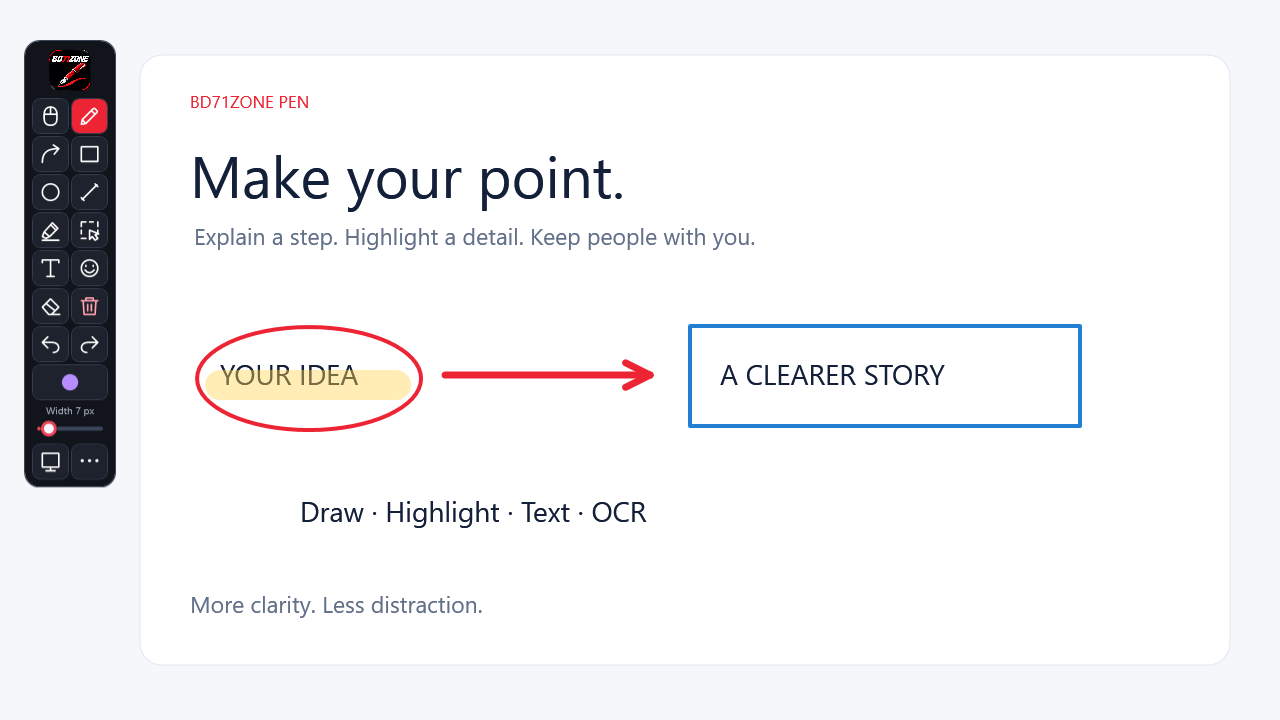
Pen, arrows, lines, rectangles, circles and a highlighter help you make each step easy to follow.
Choose a cursor highlight style, colour and size. Keep the pointer easy to follow during demonstrations.
Select an area of your screen, extract text with included OCR, then review, copy or place it on your canvas.
Add text, Windows emoji and images. Select, move, resize or delete items, with Undo and Redo when you need them.
Switch between your desktop, a whiteboard and a blackboard. Double-click the logo to minimize the toolbar.
Everyday drawing and OCR work without a local AI model. Install Local AI or Offline Voice separately when you need them.
A demonstration rendered with the app's annotation tools.
For screen recordings, use Display Capture and preview the result before you go live. The demo has no spoken audio.
All plans include the same core tools. One active PC. No free trial.
7 days
A focused week of creating.
30 days
A full 30 days for your next project.
365 days
Save 66.6% vs 12 Monthly purchases.
One payment
One payment. No renewals.
A clearer comparison. Twelve Monthly purchases cost $59.88 for 360 days; Yearly costs $19.99 for 365 days—$39.89 less. Four Yearly purchases cost $79.96; Lifetime costs $66.99—$12.97 less (16.2%), at current prices.
Lifetime covers this product's core features and updates released for it, with no scheduled license expiry. It is not a guarantee of perpetual hosting or support, and does not include separately sold future products or paid online services. All plans require internet license verification.
When checkout opens, sign in and pay a unique crypto invoice using the exact coin and network shown.
After payment is confirmed, find your activation code in your account. Install the app and enter your code.
Use the floating toolbar over your desktop. Renew from your account whenever you need more time.
Windows 10 or 11, 64-bit. The core installer includes the required .NET runtime and OCR components. Setup may request the Microsoft Visual C++ runtime.
Internet access is required at activation and for regular license checks. If verification cannot be renewed, access locks when the current authorization ends. Paid access never extends beyond your subscription expiry.
Local AI and Offline Voice are optional separate downloads. Their models need additional disk space and memory. Screen annotation is not a built-in screen recorder.
No. Review the features, demonstration, requirements and purchase terms before choosing a plan.
A license supports one active PC. You can transfer it from your account once every 30 days; contact support for recovery help. The old device loses access when its current authorization ends, within five minutes.
The annotation tools lock and the app displays a renewal screen. Renew in your account, then choose Check license in the app. Minimized drawings are kept in memory while the app remains open; closing the app follows its normal clear-on-quit behaviour.
OCR and installed local AI/voice processing run on your PC. Licensing sends your license identifier, a device public-key identifier and verification requests to the license server; it does not need your screen content.
No. Plans are prepaid. Any renewal requires a new payment that you approve.
Purchases are final and change-of-mind refunds are not offered, except where applicable law requires otherwise. Review the purchase terms before paying.
The current release does not yet have a verified publisher signature. Windows may warn or block installation according to the device security policy. Do not disable security protections to install the app.
Questions before you choose? Talk to us.